Managing multiple Angular and NestJS projects that share common libraries can be challenging. Code duplication, dependency tracking, and deployment complexities can slow down development. Nx, a powerful monorepo tool, helps streamline package management, build optimization and deployment efficiency.
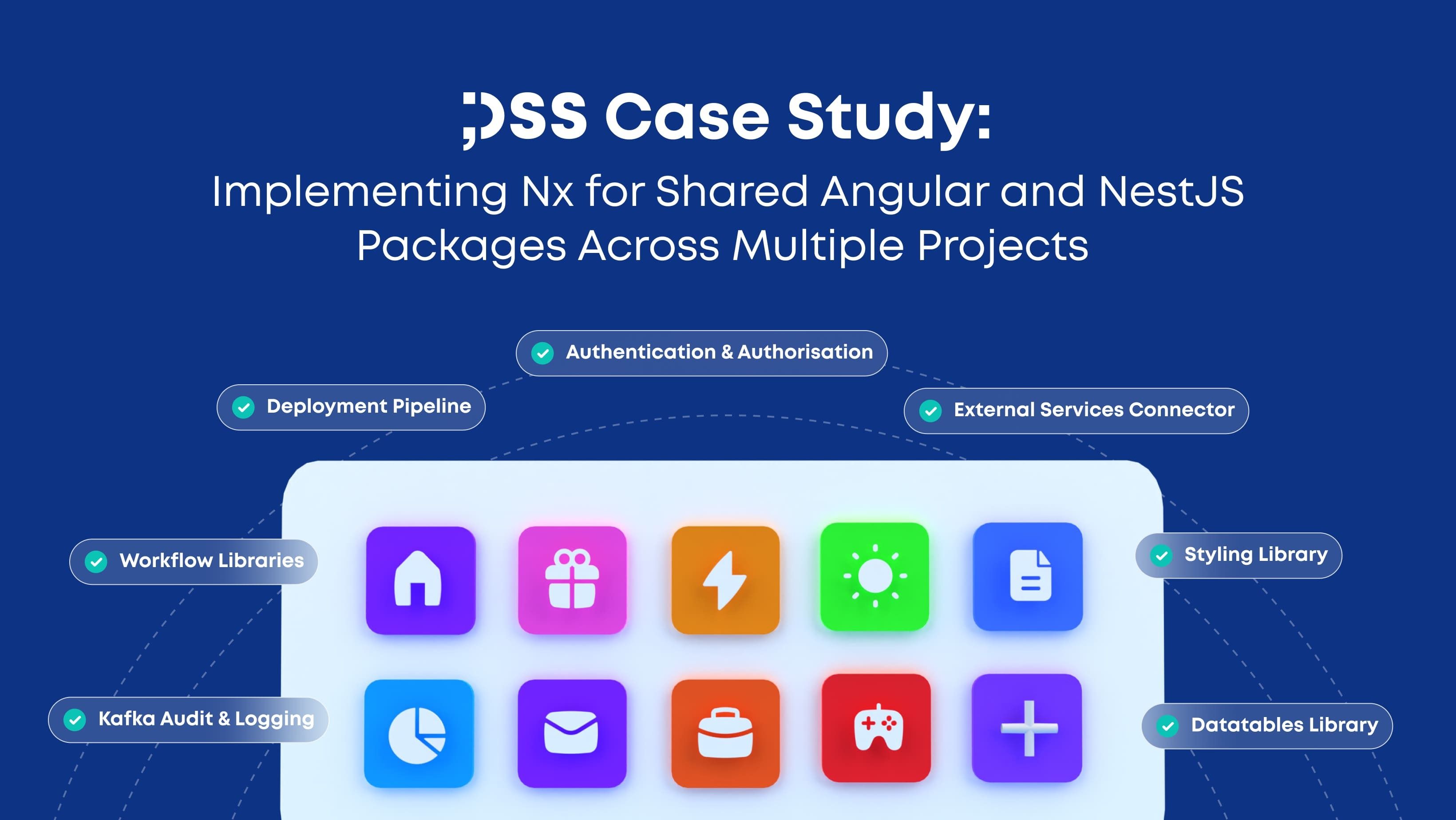
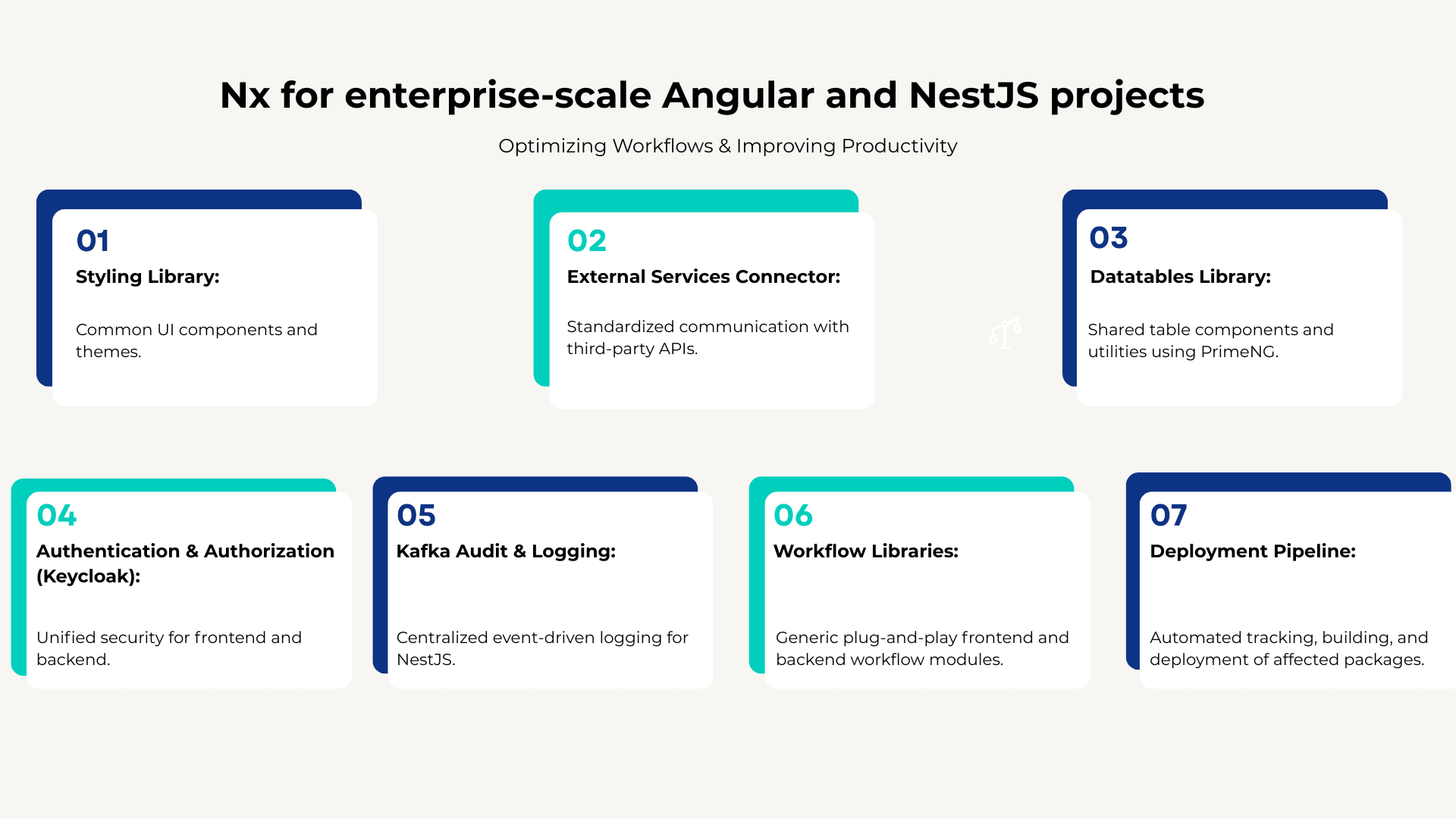
In this case study, we explore how our team successfully implemented Nx for enterprise-scale Angular and NestJS projects, optimizing workflows and improving productivity. These libraries include:
- Styling Library: Common UI components and themes.
- External Services Connector: Standardized communication with third-party APIs.
- Datatables Library: Shared table components and utilities using PrimeNG.
- Authentication & Authorization (Keycloak): Unified security for frontend and backend.
- Kafka Audit & Logging: Centralized event-driven logging for NestJS.
- Workflow Libraries: Generic plug-and-play frontend and backend workflow modules.
- Deployment Pipeline: Automated tracking, building, and deployment of affected packages.
By adopting Nx, we streamlined development, testing, and CI/CD pipelines while ensuring scalability.
Why We Chose Nx for Monorepo Management
- Nx provides a structured monorepo approach that optimizes builds, enforces best practices, and enables efficient dependency management.
- The key benefits we observed include:
- Code Reusability: Single source of truth for shared libraries across multiple applications.
- Optimized Build Performance: Affected packages rebuild only when necessary, reducing CI/CD times.
- Scalability & Collaboration: Supports multiple teams working in parallel with ease.
- Consistency & Best Practices: Standardized development patterns across projects.
Nx’s dependency graph, workspace organization, and tooling ensure that all projects stay in sync without unnecessary overhead.
Implementing Shared Libraries
Styling Library
We created a reusable styling library containing:
- SCSS themes.
- UI component wrappers (e.g., buttons, modals, form controls).
- Global typography and layout settings.
This ensured UI consistency and reduced redundancy across all Angular applications.
External Services Connector
This library standardizes external API integrations using a common interface and error-handling mechanism. This provided:
- Reusable API service classes.
- Centralized error handling.
- Consistent data transformation across projects.
Datatables Shared Library
A wrapper around PrimeNG DataTables with:
- Reusable filtering, sorting, and pagination.
- Customizable column definitions.
- Backend integration support.
This allowed teams to implement complex data tables with minimal configuration, enhancing productivity.
Authentication & Authorization with Keycloak
For security, we implemented authentication and authorization libraries for both frontend and backend:
- Frontend (auth-fe): Keycloak Angular integration with JWT handling.
- Backend (auth-be): Keycloak NestJS integration with role-based access control.
These libraries enabled seamless authentication and authorization across all applications, ensuring compliance with security standards.
Kafka Audit & Logging (NestJS)
A reusable NestJS module for logging audit events using Kafka. It provided:
- Centralized logging.
- Structured logging format for easy analysis.
- Configurable event topics.
This ensured that all services followed a unified logging and auditing process, improving traceability.
Workflow Libraries (Frontend & Backend)
To facilitate workflow automation, we developed plug-and-play workflow libraries with:
- Entities & Controllers: Predefined abstract models for workflow management.
- Condition-based Actions: Automatic triggers based on predefined conditions.
- Approval Processes: Multi-step approval system with dynamic rules.
- State Management: Easily configurable workflow state transitions.
These libraries significantly reduced development time for workflow-based applications and streamlined business processes.
Optimizing Deployment with Affected Packages
Managing multiple libraries across applications required an efficient CI/CD pipeline. Our deployment strategy included:
1. Tracking Dependencies: Nx automatically detects affected libraries and applications.
2. Building Only Affected Packages: Instead of rebuilding everything, only changed parts are built.
3. Deploying Incrementally: Using Nx CLI and Jenkins pipelines, we ensured faster deployments with minimal downtime.
By leveraging Nx’s dependency tracking, we optimized build times and improved deployment efficiency, allowing teams to ship features faster.
Results and Key Takeaways
Adopting Nx for managing shared Angular and NestJS libraries brought significant improvements:
- Increased Development Efficiency: Shared code reduced redundancy and improved collaboration.
- Optimized Build Performance: Dependency tracking enabled faster, incremental builds.
- Seamless Deployment Automation: CI/CD automation reduced deployment risks and downtime.
Nx has proven to be a game-changer for our organization, enabling better monorepo management and development scalability. If you manage multiple projects with shared Angular and NestJS libraries, adopting Nx can help you achieve faster development cycles and improved maintainability.
By embracing Nx monorepo architecture, we unlocked scalability, efficiency and seamless collaboration, setting a solid foundation for future growth.
FAQ
1. What is Nx in Angular and NestJS development?
Nx is a monorepo management tool that helps teams organize multiple Angular and NestJS applications and shared libraries in one workspace, improving code reuse, dependency management and build performance.
2. Why use Nx for managing multiple Angular and NestJS projects?
Nx helps teams reduce code duplication, track dependencies, optimize builds and standardize development practices across multiple Angular and NestJS projects in a single monorepo.
3. How does Nx improve CI/CD pipelines?
Nx improves CI/CD pipelines by detecting affected applications and libraries, allowing teams to build, test and deploy only the changed parts instead of rebuilding the entire workspace.
4. What are shared libraries in an Nx monorepo?
Shared libraries in an Nx monorepo are reusable modules such as styling components, authentication services, datatable utilities, external API connectors and workflow logic that can be used across multiple applications.
5. How does Nx help with code reusability?
Nx supports code reusability by providing a single source of truth for shared libraries, allowing teams to use common components, services and business logic across multiple Angular and NestJS applications.
6. How can Nx support authentication and authorization across projects?
Nx can support authentication and authorization by centralizing shared frontend and backend libraries, such as Keycloak integrations, JWT handling and role-based access control, for consistent security implementation.
7. How does Nx optimize deployment with affected packages?
Nx optimizes deployment by identifying affected libraries and applications after code changes, enabling incremental builds and deployments that reduce CI/CD time and minimize downtime.
8. What are the benefits of using Nx for enterprise-scale projects?
Using Nx for enterprise-scale projects improves development efficiency, build speed, collaboration, maintainability and scalability by organizing shared code and automating dependency-aware workflows.