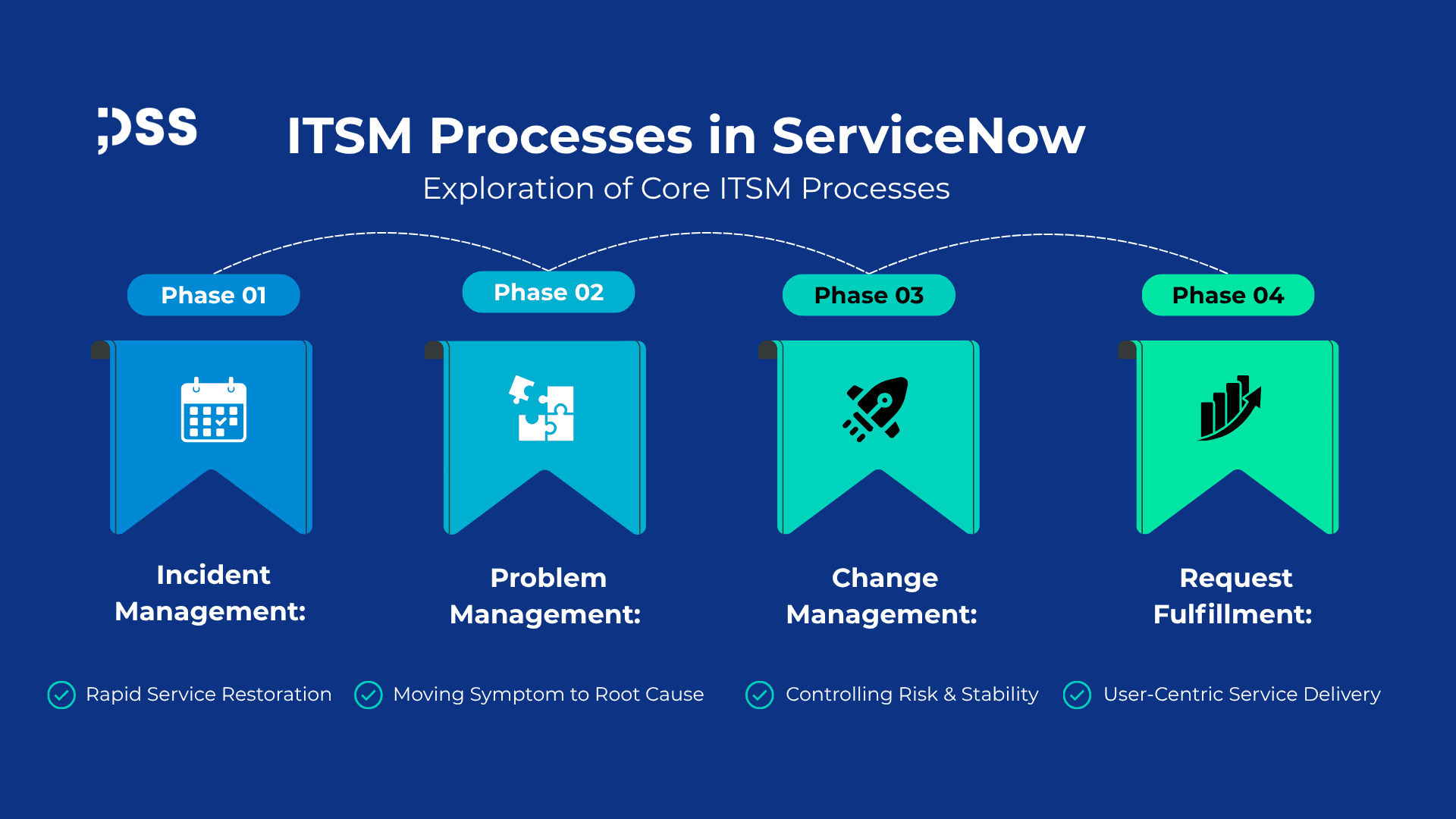
The Digital Foundation of IT Excellence: An Exploration of Core ITSM Processes in ServiceNow
IT Service Management (ITSM) is no longer just a set of internal procedures; it is the invisible engine that supports every digital interaction and business process. In the age of digital transformation, IT agility, stability, and efficiency determine the success or failure of a company.
The ServiceNow platform has established itself as the leader, offering not just tools, but a unified System of Record, where all IT events from a simple request to a critical infrastructure change are managed on a single platform. A robust ITSM foundation in ServiceNow relies on the synergy of four essential pillars: Incident, Problem, Change, and Request. A deep understanding of these processes (a, b, c, d) is the key to transforming IT from a reactive cost center into a strategic, proactive partner.
PART I: Incident Management: Rapid Service Restoration
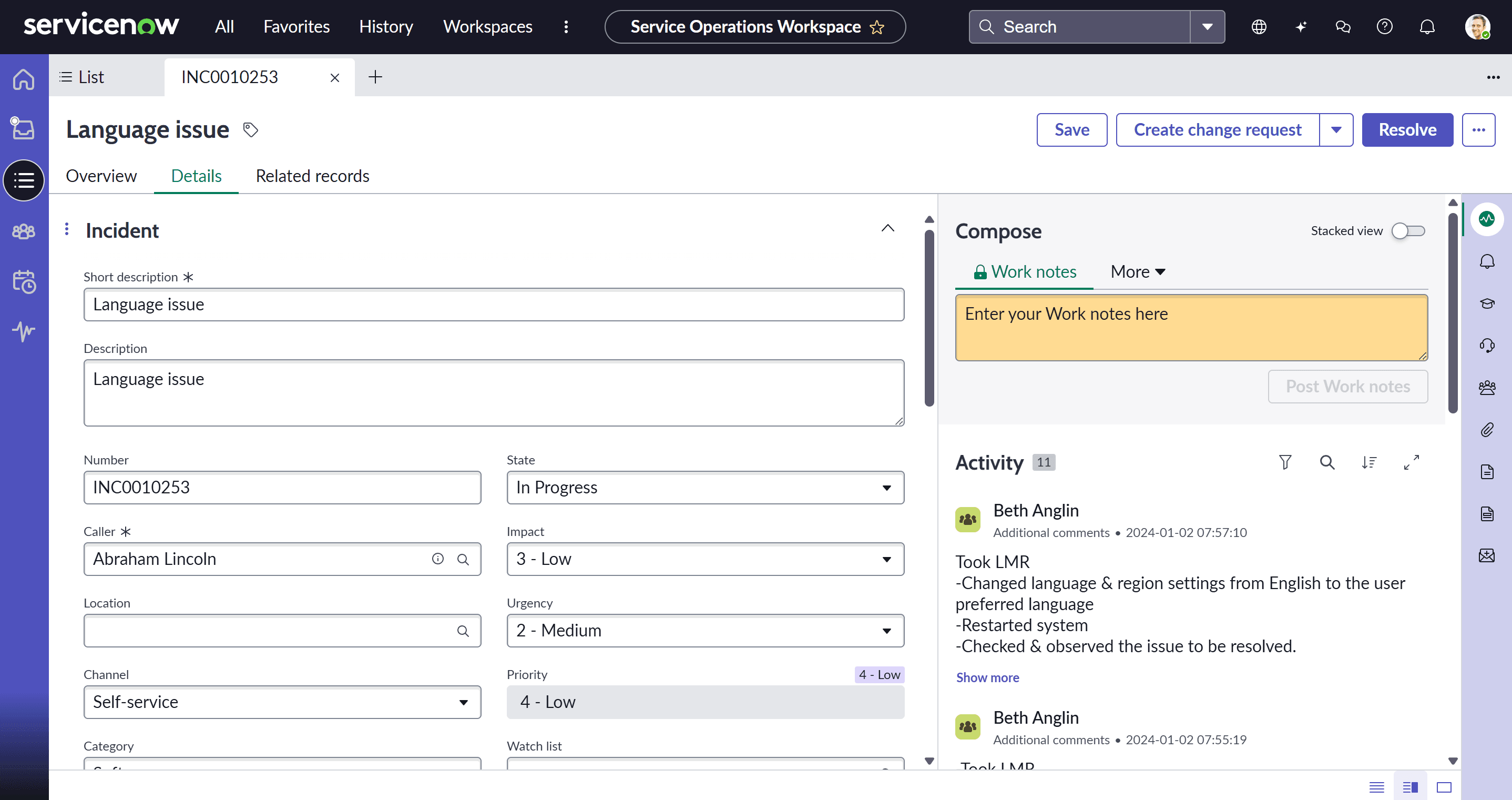
Incident Management is the user's first point of contact with IT during an interruption. Its sole objective is the rapid restoration of normal service operation, with minimal impact on the business.
The OOTB Lifecycle in ServiceNow
- Logging and Classification: The incident is created (via the portal, email, phone, or automatically via ITOM). Essential fields (Impact, Urgency) are used to automatically calculate Priority.
- Triage and Routing: Based on Priority and Category, the incident is automatically routed to the correct support group (using Assignment Rules).
- Investigation and Diagnosis: The agent begins work, recording the steps taken. This is where the newest innovations come in: Now Assist offers contextual summaries of previous incidents and drafts responses for the user, accelerating diagnosis.
- Resolution and Closure: Once service is restored, the agent documents the solution. The incident enters a timed resolution phase (Resolution Time), allowing the user to confirm the fix before final closure.
The value of Incident Management is measured by:
- Mean Time To Resolution (MTTR): The time elapsed from incident opening to resolution. ServiceNow offers Performance Analytics to identify process bottlenecks.
- Service Level Agreements (SLAs): Defining and monitoring time commitments (response and resolution) based on priority. Automated escalations are a key component of the OOTB configuration.
PART II: Problem Management: Moving from Symptom to Root Cause
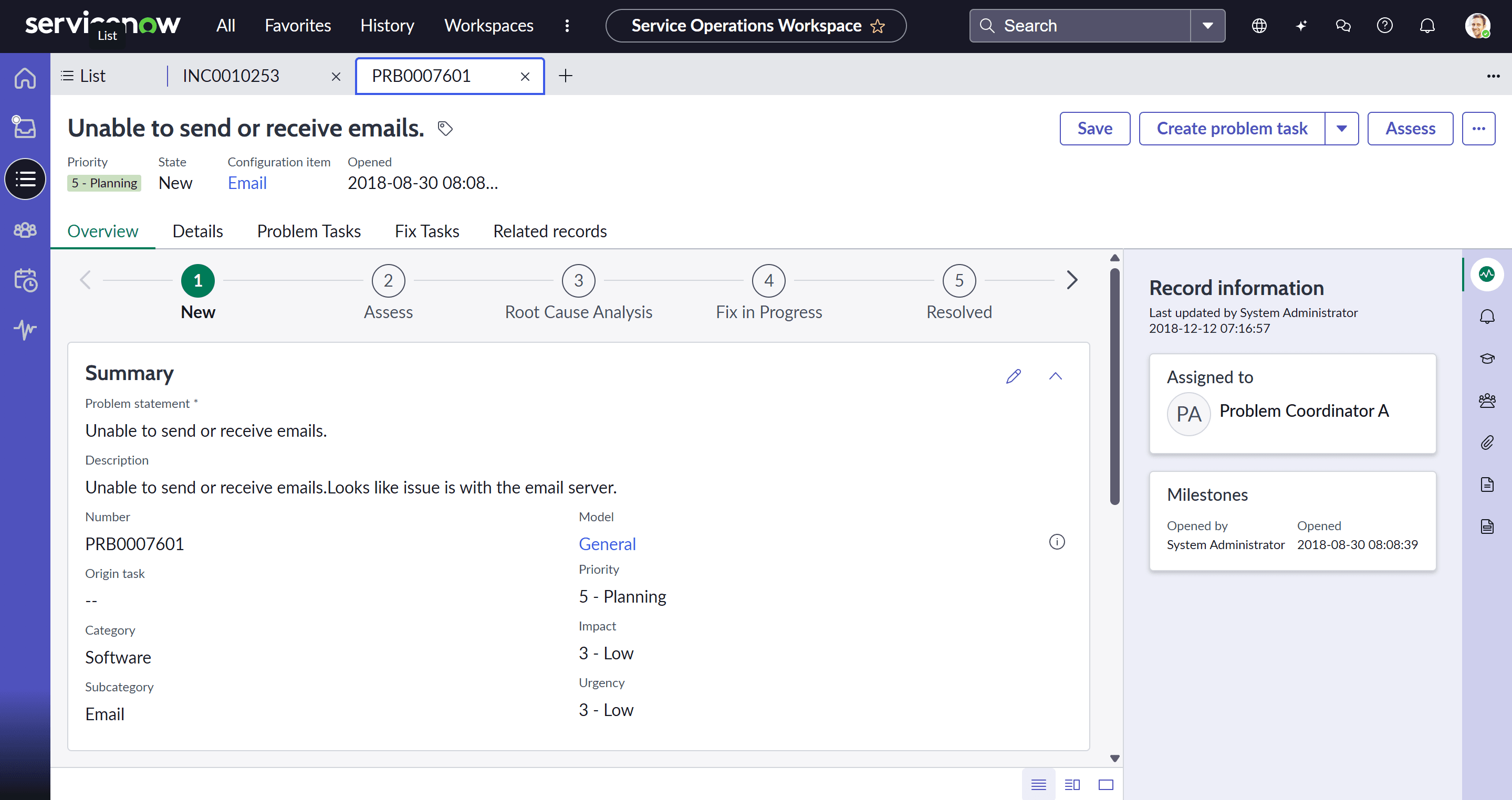
If Incident Management deals with symptoms, Problem Management deals with the disease. Its goal is to reduce the number of incidents by identifying, analysing, and eliminating the root causes (RCA).
In ServiceNow, a Problem is often created automatically or manually based on a major incident or a group of recurring incidents. The relationship is visible on the form: one Problem can have many attached incidents, but an incident is linked to only one problem.
The Stages of Root Cause Analysis (RCA)
- Identification and Logging: The Problem is classified (e.g., Hardware, Software, Network).
- Investigation: The Problem Management team uses RCA methodology (5 Whys, Ishikawa) to discover the source of the error.
- Workaround: Before permanent remediation, a temporary solution (Workaround) is identified. This is recorded in the Problem record and linked to associated incidents, allowing agents to quickly resolve symptoms while the permanent fix is underway.
- Known Error: Once the root cause and workaround are defined, the Problem becomes a Known Error. This is essential for knowledge sharing and prevents repeated investigations.
PART III: Change Management: Controlling Risk and Stability
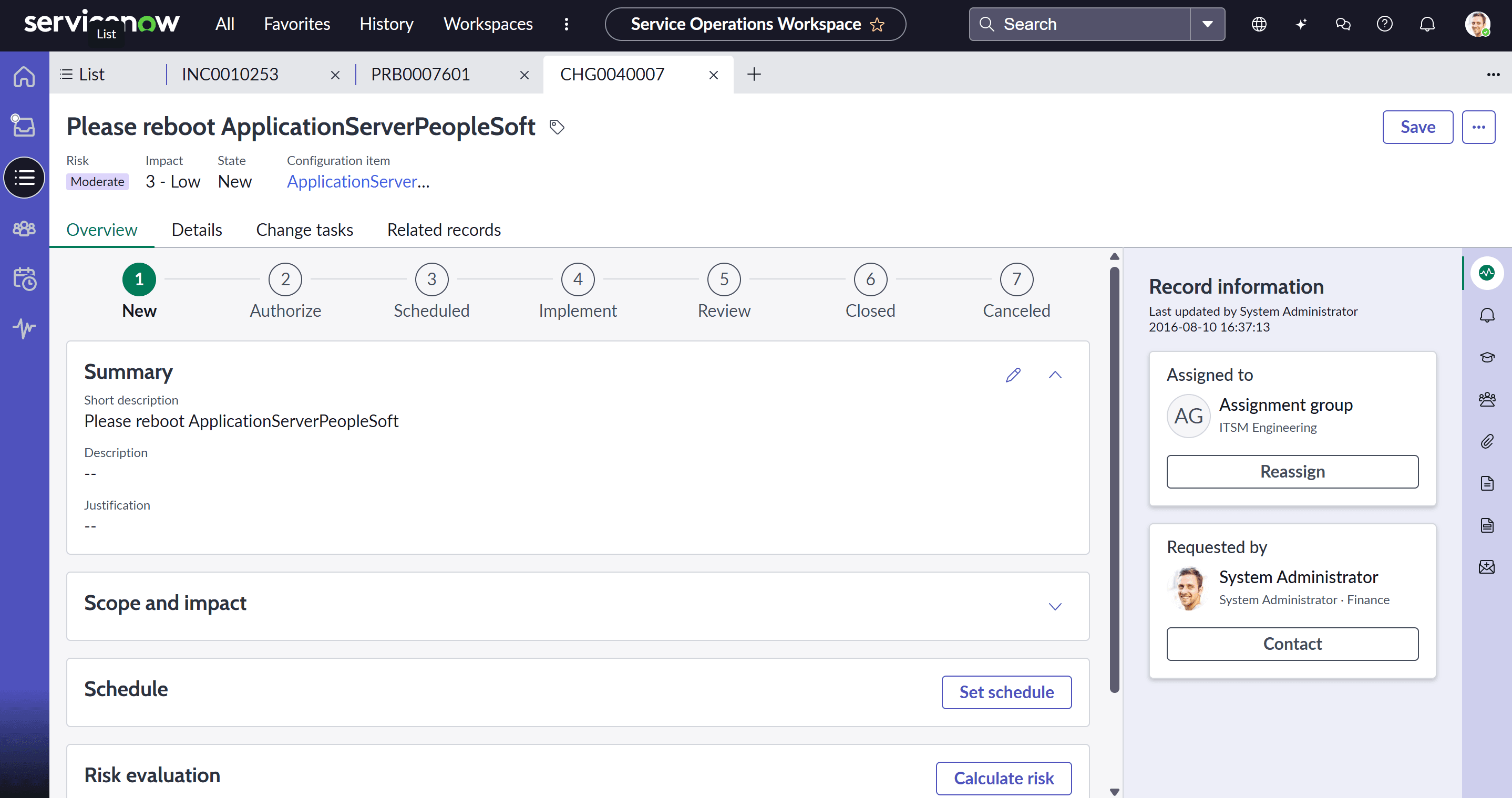
Change Management is the process that ensures modifications to the IT environment are carried out using standardized methods and procedures, maximizing benefits while minimizing risks.
ServiceNow provides a robust, ready-to-use architecture that relies on change classification to automate the approval workflow:
Change Types:
- Standard Change: Pre-approved, low-risk, and frequent changes (e.g., creating an email account). Requires no CAB approval.
- Normal Change: Major changes requiring a full risk assessment and formal approval (typically by the CAB).
- Emergency Change: Changes needed immediately to resolve a major incident. They have an expedited, often retroactive, approval flow.
CMDB Integration and Conflict Detection:
- A key OOTB element is the ability to link the Change to the affected Configuration Item (CI) from the CMDB.
- Conflict Detection: ServiceNow automatically checks if the proposed Change conflicts with other planned Changes or with the CI's Maintenance Window, providing a risk score.
The CAB Workbench is the central OOTB interface for change approval. It transforms the Change Advisory Board meeting from a manual, email-based process into a structured, digital event:
- Viewing proposed Changes;
- Documenting CAB votes and decisions;
- Automatic updating of the Change status after the decision is made.
PART IV: Request Fulfillment: User-Centric Service Delivery
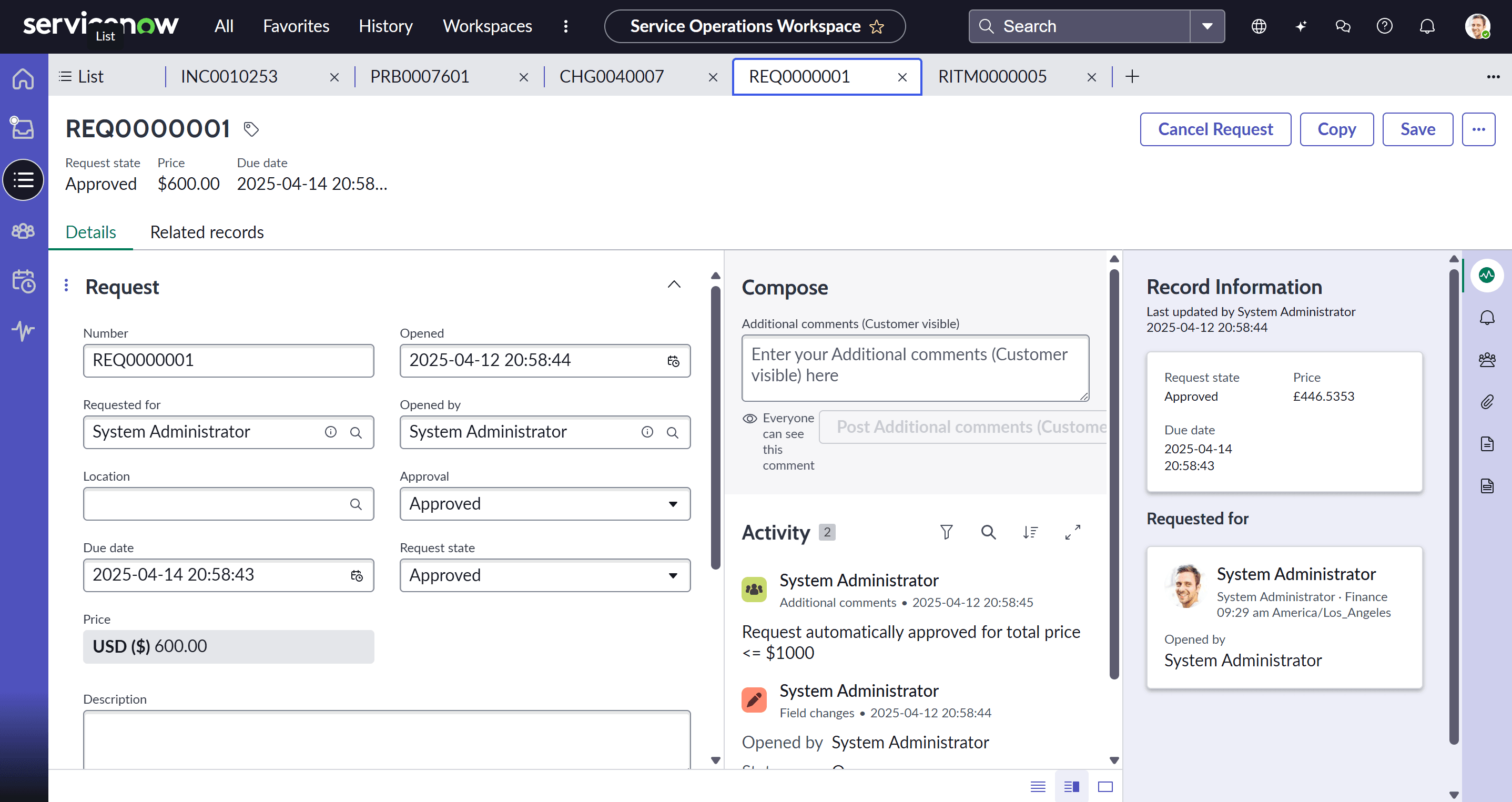
Request Fulfillment manages the lifecycle of all service requests (not just interruptions) from users: application access, new equipment, information.
The Service Catalog is the visual interface that allows users to order IT services in a manner similar to an online shopping experience.
- Catalog Items: Each service is defined as an item, with pricing (if applicable) and customized variable fields (Catalog Variables) that collect the exact information needed by the fulfillment team.
- User Experience: Items are intuitively grouped. The OOTB interface is designed for incident deflection – the user searches for a request and receives knowledge article suggestions before creating a ticket.
The real value of request fulfillment lies in workflow automation:
- Request (REQ): The initial logging.
- Requested Item (RITM): The specific instance of the service requested.
- Fulfillment Task (SCTASK): Tasks assigned to working groups (IT team, procurement team, HR team).
Instead of complex scripting, Flow Designer allows administrators to visually build approval flows (Manager, Service Owner, Budget) and automatically generate tasks for the correct teams, ensuring fast and error-free delivery.
Conclusion: ITSM foundation in ServiceNow Platform
The ITSM foundation is not just a collection of processes, but a continuous cycle of improvement.
A major Incident leads to a Problem. Resolving the Problem requires a Change. To make the solution available, it may be offered through a Request (for access).
By unifying Incident, Problem, Change, and Request on the ServiceNow platform, organizations gain holistic visibility, eliminate silos, and accelerate digital transformation. This integrated foundation enables IT to shift from managing disruptions to proactively and intelligently delivering services, thereby becoming an essential engine of business value.
FAQ
1. What are the core ITSM processes in ServiceNow?
The core ITSM processes in ServiceNow are Incident Management, Problem Management, Change Management, and Request Fulfillment. Together, they create a structured framework for managing IT services efficiently.
2. What is Incident Management in ServiceNow?
Incident Management in ServiceNow focuses on restoring normal service operation as quickly as possible after an interruption, while minimizing the impact on business operations.
3. How is Problem Management different from Incident Management?
Incident Management is focused on resolving service interruptions quickly, while Problem Management is focused on identifying and eliminating the root cause of recurring incidents.
4. What is the purpose of Change Management in ServiceNow?
Change Management ensures that modifications to the IT environment are planned, assessed, approved, and implemented in a controlled way to reduce risk and maintain service stability.
5. What are the main types of changes in ServiceNow?
The main change types in ServiceNow are Standard Change, Normal Change, and Emergency Change. Each type follows a different approval and risk evaluation workflow.
6. What is Request Fulfillment in ServiceNow?
Request Fulfillment manages user requests for services such as software access, hardware, or information through the Service Catalog and automated fulfillment workflows.
7. What is the role of the Service Catalog in ServiceNow?
The Service Catalog allows users to request IT services through a user-friendly interface, helping standardize service delivery and improve the overall user experience.
8. How does ServiceNow improve ITSM efficiency?
ServiceNow improves ITSM efficiency by automating workflows, centralizing records, integrating with the CMDB, and providing visibility across incidents, problems, changes, and requests.
9. Why is an integrated ITSM approach important in ServiceNow?
An integrated ITSM approach helps organizations eliminate silos, improve service visibility, reduce operational risk, and support continuous service improvement across the IT environment.
10. How do Incident, Problem, Change, and Request processes work together in ServiceNow?
These processes work together as a connected service management cycle. An incident may lead to a problem investigation, the problem may require a change, and the resulting service or access can be delivered through a request process.


